
 Image 1 of 1
The Baddie Bundle vol.01
Ten of our best (we’re biased, they are all goood!) plugins, bundled up and handed to you at 25% off. This is the cheat code for a Squarespace site that actually stops the scroll.
Featuring:
Text Scroll Animation Pack 01 — usually $30
Text Scroll Animation Pack 02 — usually $30
Cursor Collage — usually $70
NavGlow — usually $50
Flying Images — usually $70
Infinite Autoscroll Bundle — usually $90
Scrolling Wheel Menu — usually $70
Adaptive Background on Scroll — usually $50
Alternate Column Gallery — usually $70
Curtain Image Reveal — usually $70
Individually: $600. Yours for $450.
That's $150 back in your pocket — go treat yourself.
Ten of our best (we’re biased, they are all goood!) plugins, bundled up and handed to you at 25% off. This is the cheat code for a Squarespace site that actually stops the scroll.
Featuring:
Text Scroll Animation Pack 01 — usually $30
Text Scroll Animation Pack 02 — usually $30
Cursor Collage — usually $70
NavGlow — usually $50
Flying Images — usually $70
Infinite Autoscroll Bundle — usually $90
Scrolling Wheel Menu — usually $70
Adaptive Background on Scroll — usually $50
Alternate Column Gallery — usually $70
Curtain Image Reveal — usually $70
Individually: $600. Yours for $450.
That's $150 back in your pocket — go treat yourself.
What's inside:
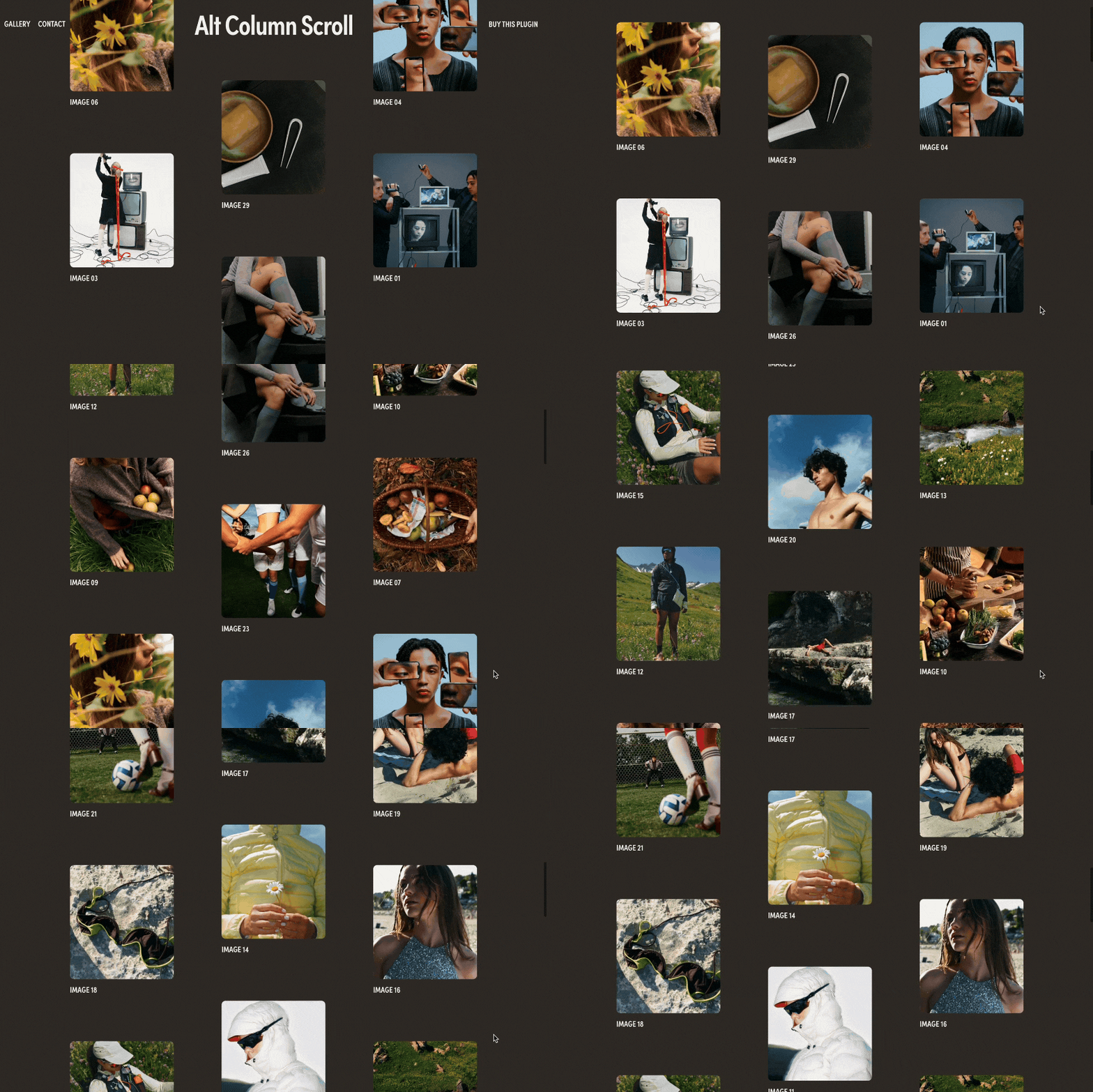
LIVE DEMO ↗ Password: digitalmoves
Engage your audience with our Alternate Column Gallery Scroll Plugin. A grid layout with columns that scroll in opposite directions, perfect for showcasing images in an interactive way on your Squarespace 7.1 website.
Display images from your portfolio with a range of customisation options like image sizing, padding, title display and description. A clean and responsive design that adapts seamlessly across mobile and desktop. Utilising Squarespace blog collection, this easy to set up plugin will leave your users stunned.
Plugin Information:
Install Guide Included with video walk through
Plugin Is Section Specific
Uses Code Injection + Custom CSS
Uses Summary Block with Blog Posts
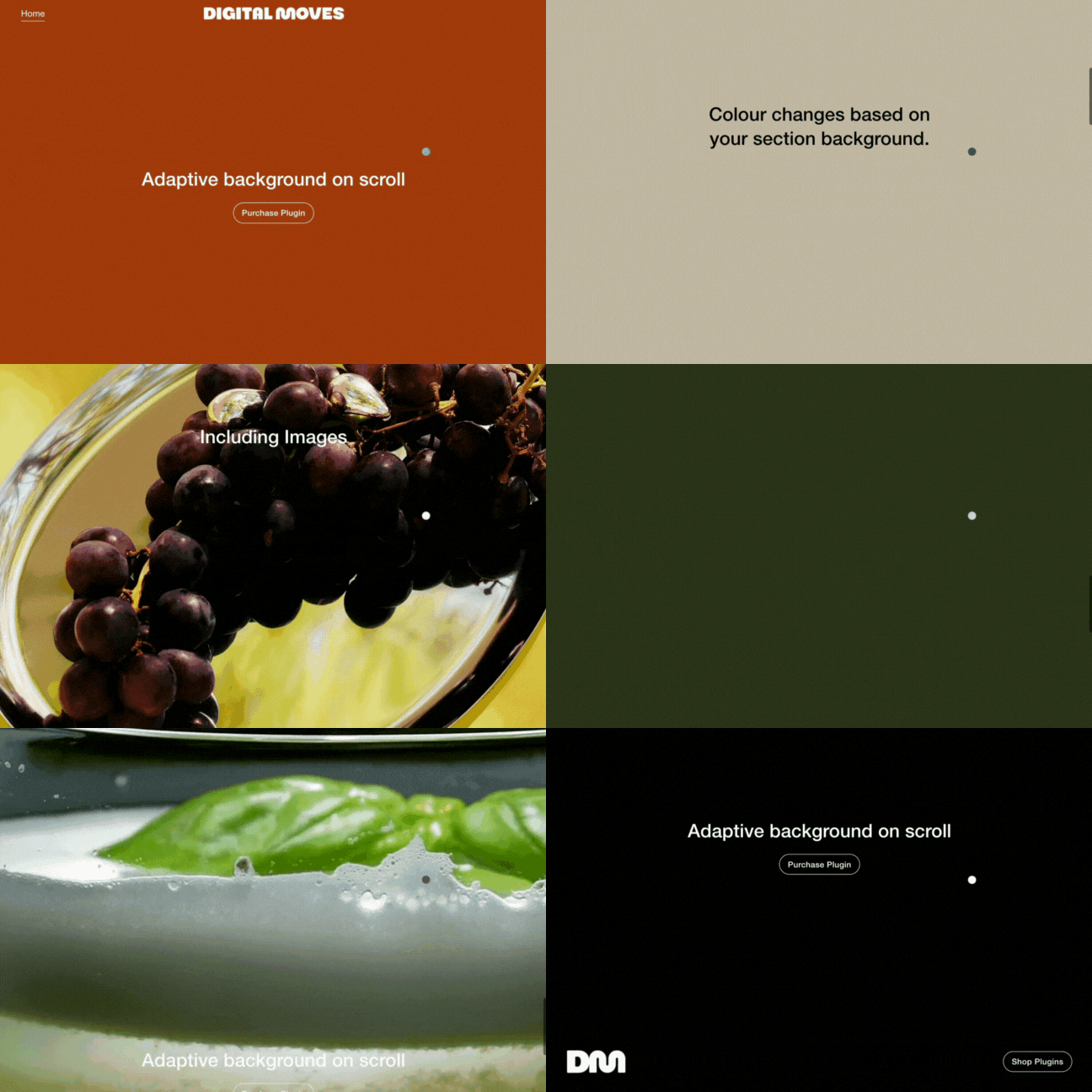
LIVE DEMO ↗ Password: digitalmoves
Make a big impact on your Squarespace 7.1 website with our Adaptive Background on Scroll Plugin. Creating a seamless fade of your section’s background.
This easy to install plugin will pull your section background colours, background images and background video and fade into the new section as you scroll. Pretty neat huh?! Perfect for web designers, photographers, artists or anyone who with a variety of content and colours to showcase.
Plugin Information:
Install Guide Included with video walk through
Plugin can be used site-wide or per page.
Uses Code Injection.
Additional CSS for footer adaptiveness.
Fade speed options.
Mobile friendly.
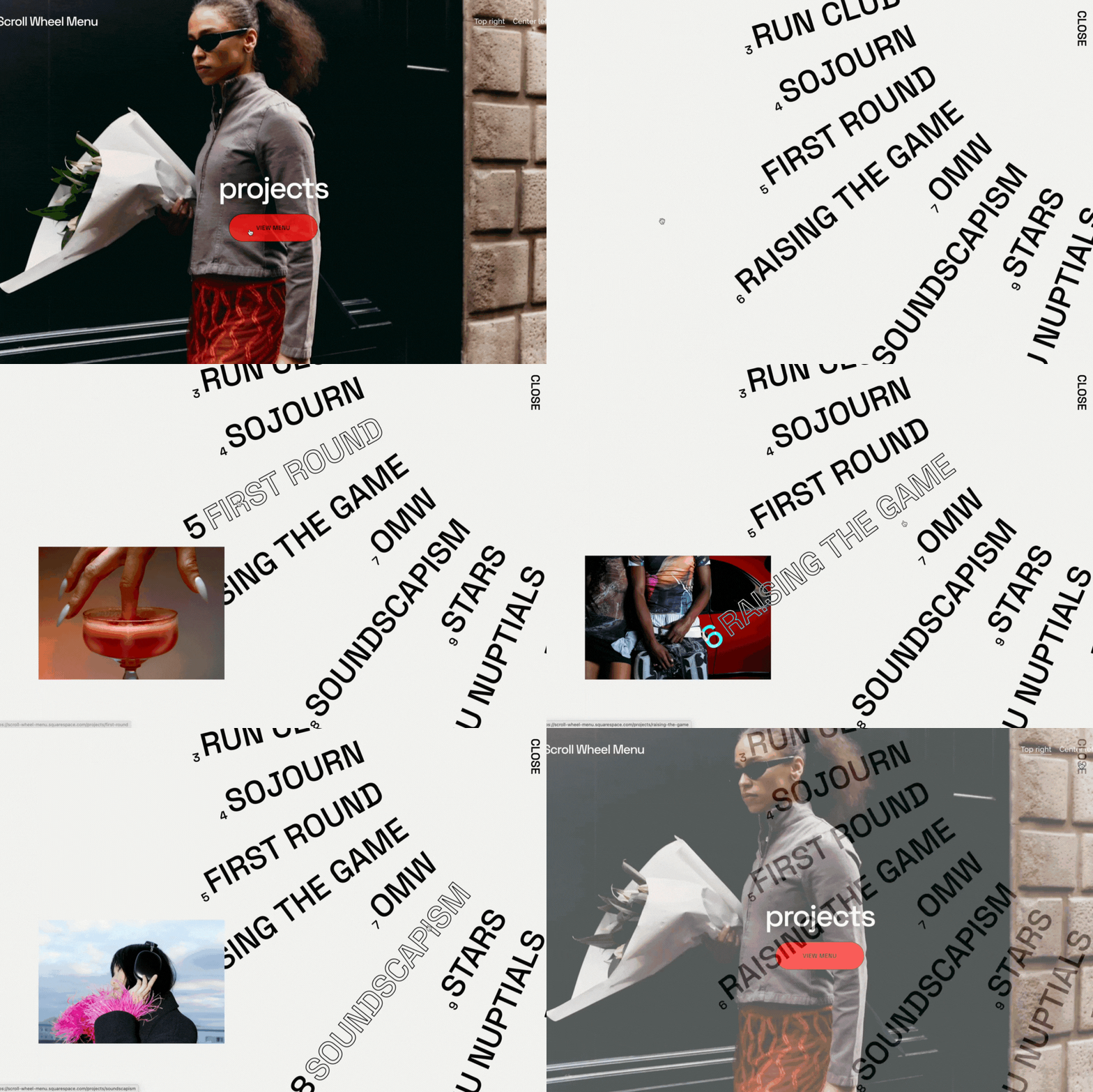
LIVE DEMO ↗ Password: digitalmoves
Boost your website’s vibe with our Scroll Wheel Menu Plugin for your Squarespace 7.1 website. This interactive menu spins your links into a sleek, circular design that makes your site pop and keeps visitors engaged.
Perfect for web designers, photographers, artists or anyone who want to add some flair in showcasing a portfolio or list of projects. Level up your user experience effortlessly with our fun and dynamic scroll wheel menu using a blog collection and summary block for easy installation with 2 display options and additional customisation.
Key Features:
Seamless integration with a fully responsive menu that can be triggered by any button, header button or link.
Effortless customisation to align with your website’s design.
Easily add images directly from your Squarespace blog posts.
2 display options with additional options to customise animations, image sizes, speed and font settings.
Mobile-friendly design ensures a flawless experience across all devices.
Plugin Information:
Plugin Is Section Specific
Can have one per page
Uses Blog Page
Uses Carousel Summary Block
Uses Code Injection
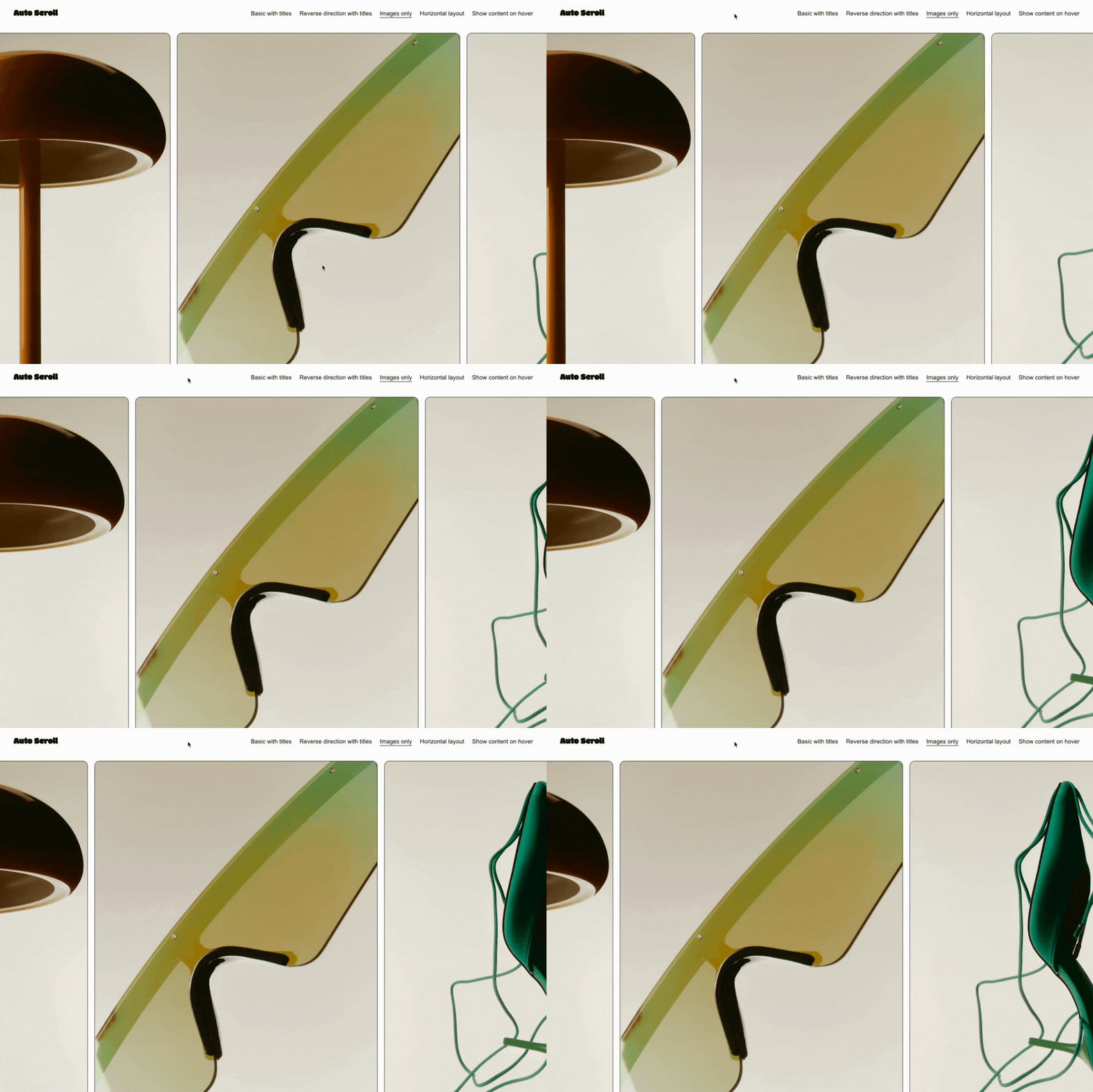
LIVE DEMO ↗Password: digitalmoves
Transform your Squarespace website into a visually captivating and highly interactive platform with the Infinite Auto-Scroll Marquee plugin.
Designed for modern businesses, creatives, and bloggers, this powerful tool seamlessly integrates with Squarespace’s “People” section, turning static content into an engaging, infinite scrolling carousel that keeps your audience hooked.
Key Features:
Seamless Squarespace Integration - Specifically crafted to work flawlessly with Squarespace’s architecture, ensuring effortless installation and compatibility with your existing site design.
Infinite Auto-Scrolling Carousel - Experience continuous, fluid scrolling without any interruptions, providing a mesmerising marquee effect that keeps your content in motion.
Responsive Design - Optimised for all devices, from desktops to mobile phones, ensuring your carousel looks stunning and functions perfectly on any screen size.
Customisable Slide Settings - Easily adjust the number of visible slides, spacing between items, and scroll speed to match your brand’s aesthetic and performance needs.
Auto-Scroll Direction Control - Choose between forward or backward scrolling to create the desired visual impact and align with your website’s design language.
Interactive Elements - Make your images clickable with embedded links, driving engagement and directing traffic to key areas of your site.
Plugin Information:
Plugin Is Section Specific
Can have multiple per page
Uses People section
Uses Carousel layout
Uses Code Injection
LIVE DEMO ↗ Password: digitalmoves
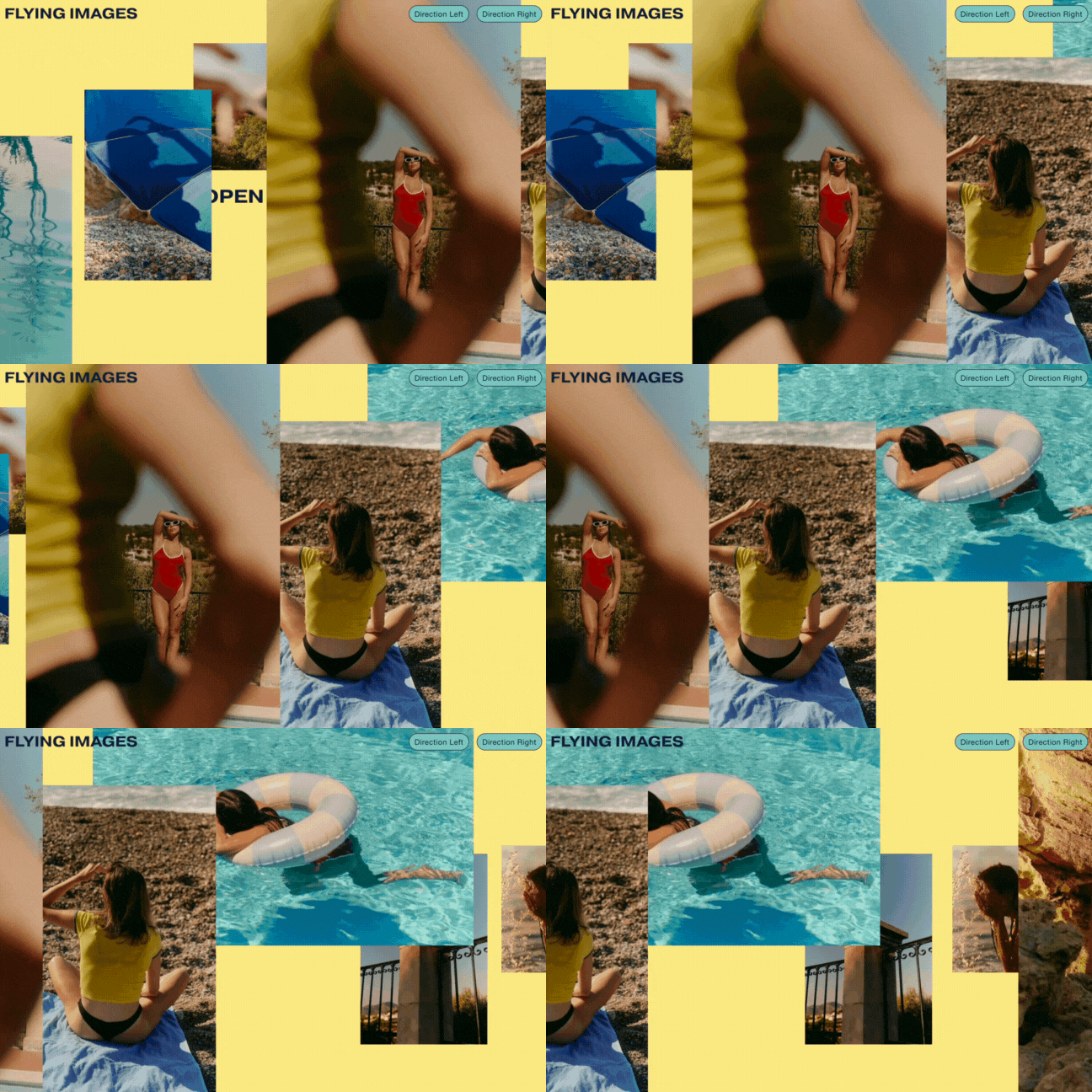
Transform your Squarespace 7.1 website with our cutting-edge Flying Images Plugin.
Instantly captivate your audience by presenting your content in a visually dynamic and engaging way. Create an infinite loop of your favourite images, flying across the screen. Dynamically displayed using content from a Squarespace Blog collection.
Perfect for photographers, artists, business owners, and portfolio showcases, this plugin brings your images to life, making a lasting impact from the moment visitors arrive.
This plugin offers customisation options such as image quantity, movement direction, size and speed. Optimised for all devices ensuring a responsive user experience for all your users.
Plugin Information:
Plugin Is Section Specific
Can have one per page
Uses Blog Page + Summary Block
Uses Code Injection
Recommended Using at least five images
LIVE DEMO ↗ Password: digitalmoves
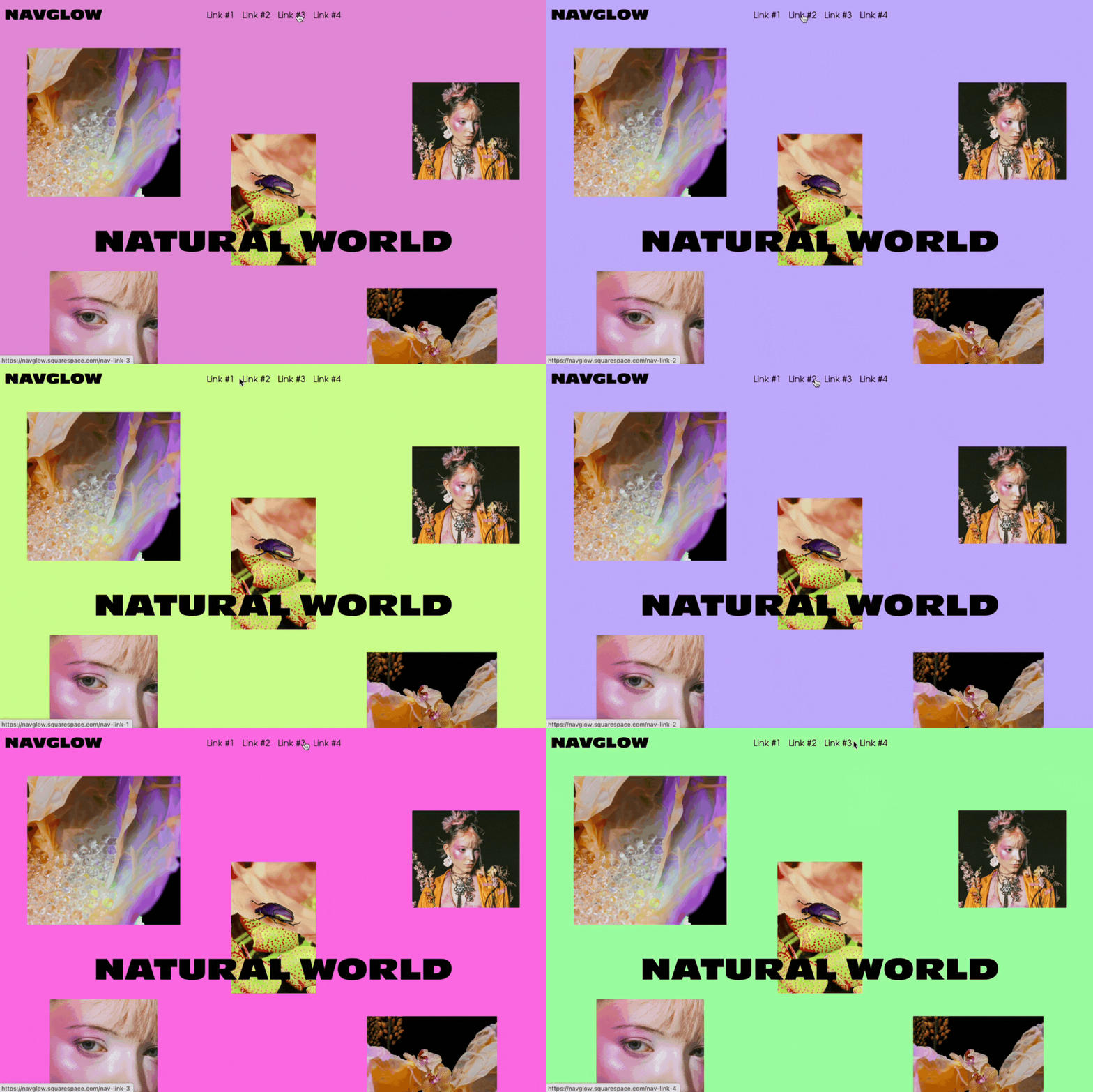
Make your Squarespace website pop with these fun background colour change header navigation link transitions.
Enhance user interaction and elevates your site’s design by dynamically changing background colours when hovering over navigation links, creating a seamless and visually engaging experience. Use the accent colours from your Site Styles or customise using your own colours. All with smooth transitions for a polished, professional touch.
Plugin Information:
Plugin can target entire website or specific pages
Uses Code Injection
LIVE DEMO ↗ Password: digitalmoves
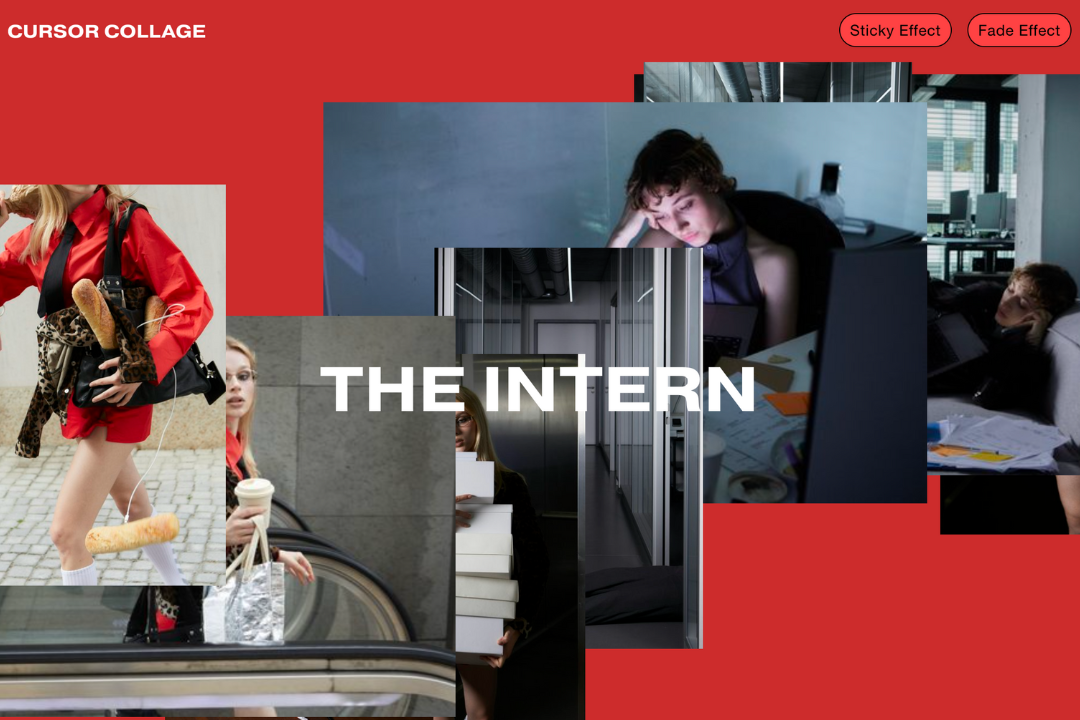
Bring some nostalgic collage making to your Squarespace 7.1 website. An interactive image collage that moves with your cursor.
Dynamically pull images from a Squarespace blog collection, creating a collage effect that evolves with each mouse movement. This visually striking plugin is perfect for creatives, photographers, designers, and business owners who want to showcase their work in an engaging, responsive way.
Choose from 2 effects: A sticky collage or fade-out effect on images. Additional customisation options such as image quantity, size, distance and speed to align with your branding.
Plugin Information:
Plugin Is Section Specific
Can have one per page
Uses Blog Page
Uses Carousel Summary Block
Uses Code Injection
Recommended Using at least 10 images, duplicate images if needed.
LIVE DEMO ↗ Password: digitalmoves
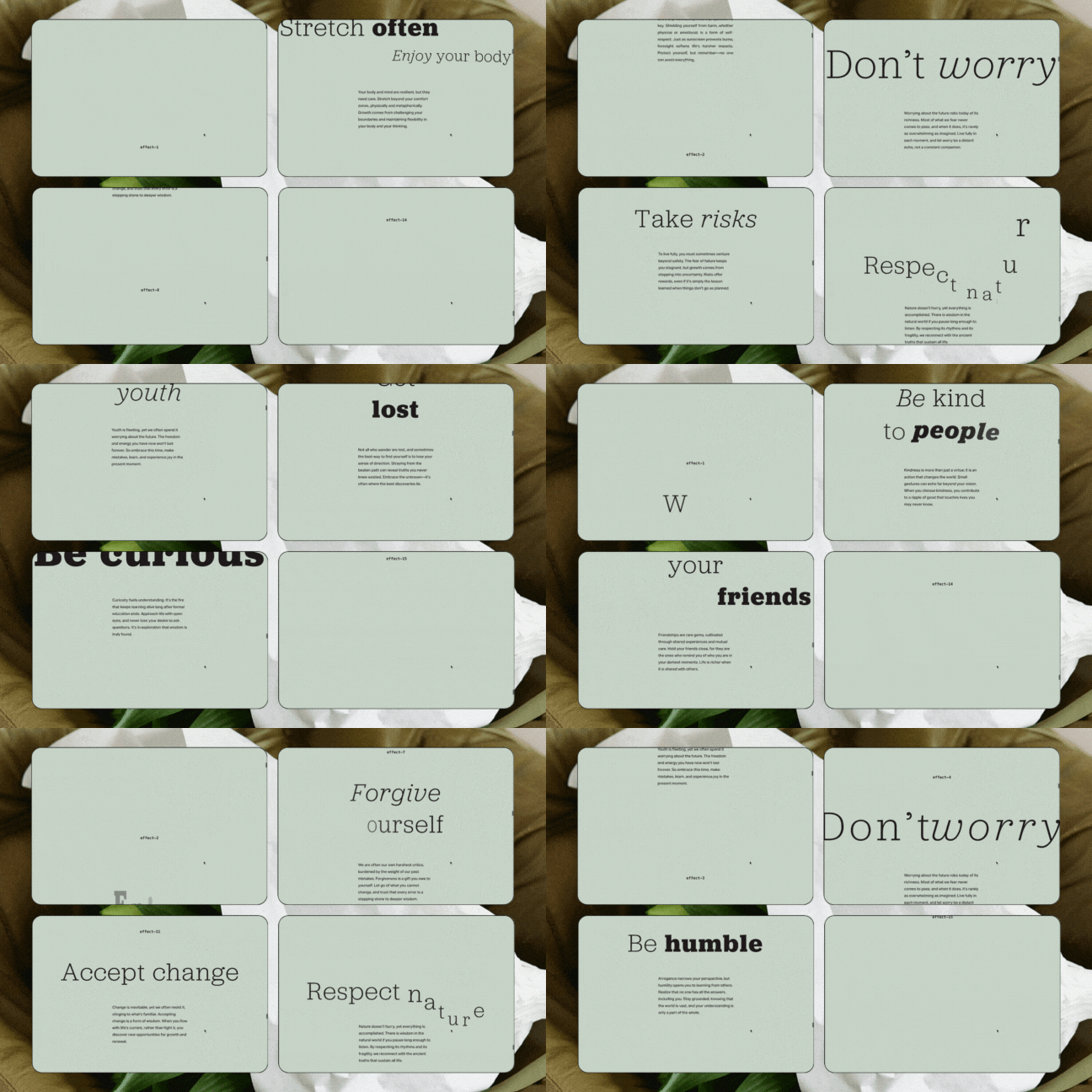
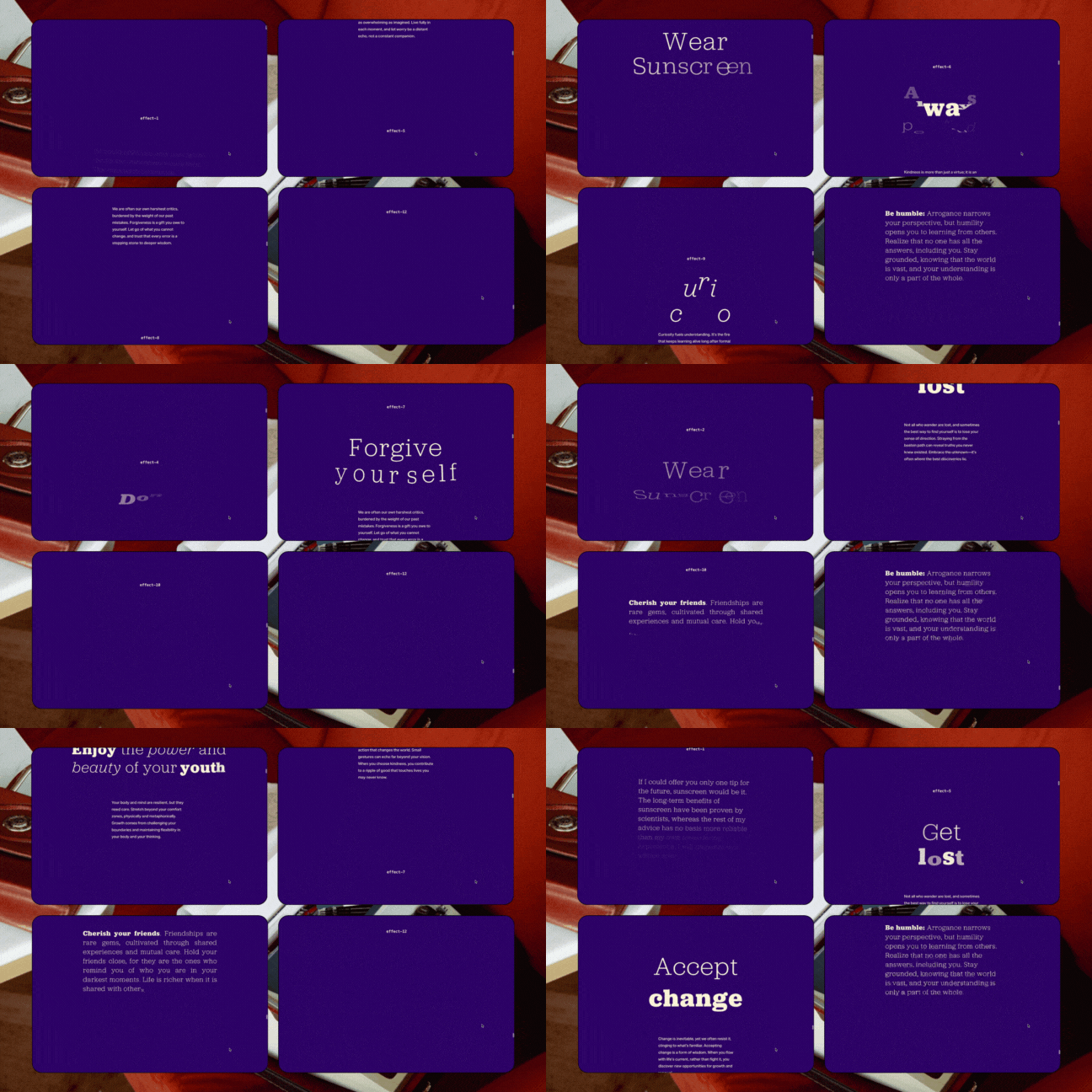
Who doesn't love some eye-catching text animation? Within minutes you can add text animation to your Squarespace 7.1 website. Our Text Scroll Animation Pack 01 has 15 effects for you to choose from.
As users scroll through your site, major text elements animate on screen, creating a stunning reveal effect synchronised with their scroll position. This subtle yet powerful animation enhances readability and engagement, making key messages stand out while maintaining a clean, modern design.
In addition, the plugin integrates smooth scrolling, ensuring that your visitors enjoy a seamless and polished navigation experience across all devices.
Perfect for storytelling websites, portfolios, or any platform looking to captivate their audience with smooth transitions and eye-catching text reveals. Take your web design to the next level with the Text Scroll Animation Pack 01.
Plugin Information:
Plugin Is Block Specific
Can have multiple per page
Uses Text Block
Uses Code Injection
This is a Squarespace wrapper of the awesome Text Scroll effects from Codrops
LIVE DEMO ↗ Password: digitalmoves
Who doesn't love some eye-catching text animation? Within minutes you can add text animation to your Squarespace 7.1 website. Our Text Scroll Animation Pack 02 has 14 effects for you to choose from.
As users scroll through your site, major text elements animate on screen, creating a stunning reveal effect synchronised with their scroll position. This subtle yet powerful animation enhances readability and engagement, making key messages stand out while maintaining a clean, modern design.
In addition, the plugin integrates smooth scrolling, ensuring that your visitors enjoy a seamless and polished navigation experience across all devices.
Perfect for storytelling websites, portfolios, or any platform looking to captivate their audience with smooth transitions and eye-catching text reveals. Take your web design to the next level with the Text Scroll Animation Pack 02.
Plugin Information:
Plugin Is Block Specific
Can have multiple per page
Uses Text Block
Uses Code Injection
This is a Squarespace wrapper of the awesome Text Scroll effects from Codrops
Plugin Information
All 10 plugins install via Footer Code Injection and Page Header Code Injection — a full guide is included with each
Each plugin is standalone and works across any page or section
Compatible with Squarespace 7.1 on a Business Plan or higher
Upon purchase you'll receive download links for all 10 plugins
Site Requirements
1. Squarespace v7.1
2. Requires Business Plan or Higher
Licence
All plugins come with a straightforward unlimited use licence, which means they can be used an endless number of times. You have permission to use any plugin on your Squarespace projects, both personal and commercial. We do not allow this plugin to be used on Squarespace templates that are for sale nor can you re-sell this plugin.
Support
We're here to help you troubleshoot any issues with our plugins. While we can assist with installation and usage based on the instructions provided, we may not be able to help with customisations or development outside of those guidelines.
Please note, support is provided on a best-effort basis, and we can't guarantee compatibility with all other plugins, templates, or third-party software. Head here for more information.

LIVE DEMO ↗ Password: digitalmoves
Invite your audience into website with our stunning Curtain Image Reveal Plugin. Designed to open/close on scroll, an absolute show stopper for any Squarespace 7.1 website.
A clean and responsive design that adapts seamlessly across mobile and desktop. Perfect for welcoming users, using your Squarespace Image Blocks to showcase your unique imagery in a dynamic way. Bonus preloading animation with this plugin!
Plugin Information:
Install Guide Included with video walk through
Plugin Is Section Specific
Uses Code Injection + Custom CSS
Uses Image Blocks