
 Image 1 of 1
The Baddie Bundle vol.02
Ten of our best (we’re biased, they are all goood!) plugins, bundled up and handed to you at 25% off. This is the cheat code for a Squarespace site that actually stops the scroll.
Featuring:
Image Hover List Bundle — usually $90
Animated Pre-loader — usually $50
Page Transition Bundle — usually $30
Adaptive Logo Effect Bundle — usually $50
Grid Switch Portfolio — usually $70
Shrink Logo On Scroll — usually $30
Spinning Portfolio — usually $90
Section Scroll Stack — usually $50
Infinite Portfolio — usually $90
Moodboard Reveal — usually $50
Individually: $600. Yours for $450.
That's $150 back in your pocket — go treat yourself.
Ten of our best (we’re biased, they are all goood!) plugins, bundled up and handed to you at 25% off. This is the cheat code for a Squarespace site that actually stops the scroll.
Featuring:
Image Hover List Bundle — usually $90
Animated Pre-loader — usually $50
Page Transition Bundle — usually $30
Adaptive Logo Effect Bundle — usually $50
Grid Switch Portfolio — usually $70
Shrink Logo On Scroll — usually $30
Spinning Portfolio — usually $90
Section Scroll Stack — usually $50
Infinite Portfolio — usually $90
Moodboard Reveal — usually $50
Individually: $600. Yours for $450.
That's $150 back in your pocket — go treat yourself.
What's inside:
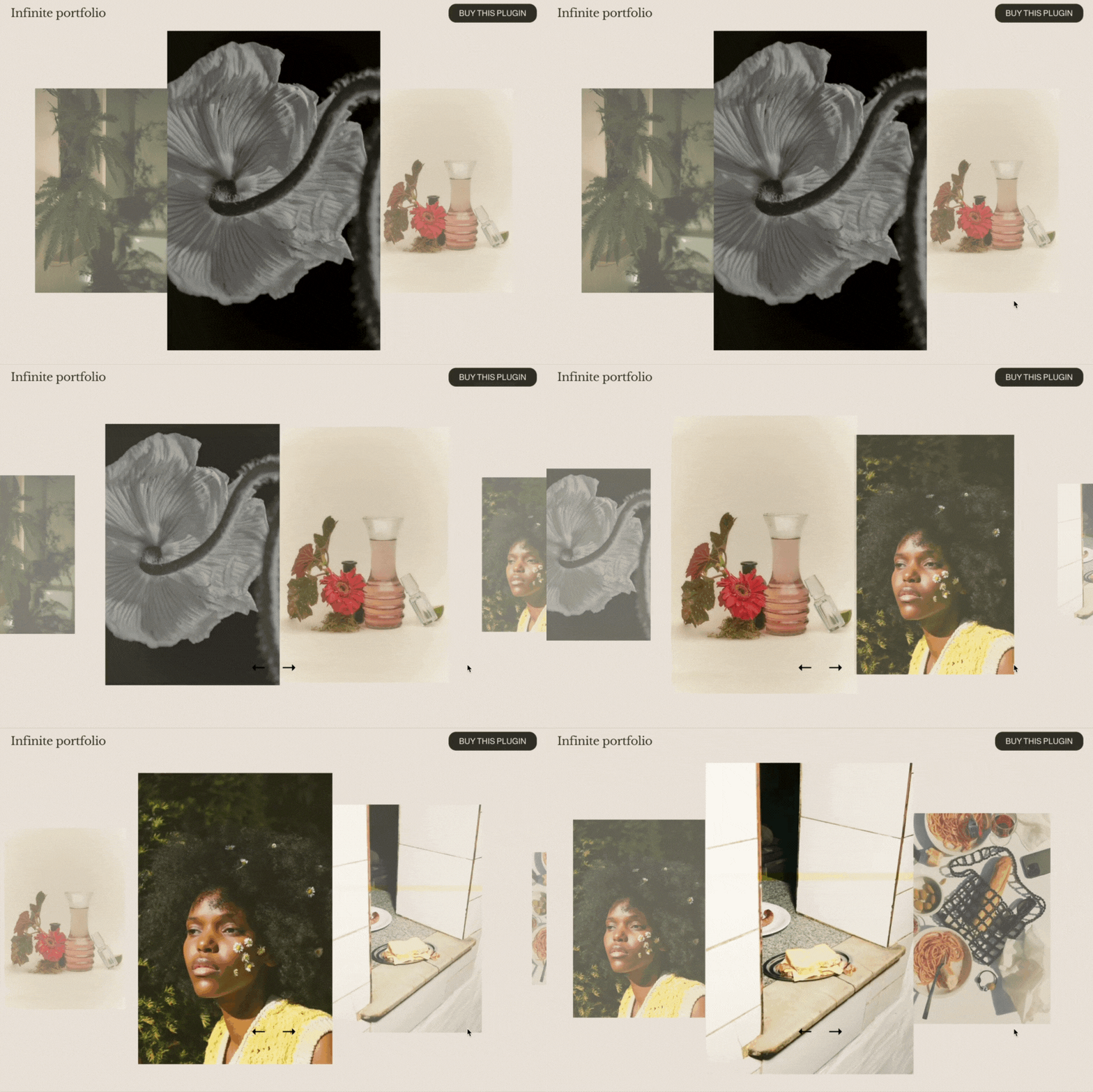
LIVE DEMO ↗ Password: digitalmoves
Your portfolio, on loop. This plugin transforms your Squarespace 7.1 blog collection into a smooth, horizontally scrolling, infinite-loop carousel. As visitors scroll or swipe, your featured posts glide across the screen — creating an eye-catching, editorial-style layout that puts your work front and centre.
Features:
Infinite Horizontal Scroll: Projects loop endlessly from left to right, keeping your audience engaged without ever reaching a “stop.”
Built with Blog Collections: Use the native Squarespace blog, each item is clickable and can link to any page on your site (or externally).
Full-Screen Layout: The carousel takes up the full height of the browser—perfect for standalone portfolio pages, hero sections, or landing experiences.
Fully Responsive: Designed to look amazing on every screen size.
Plugin Information:
Quick Install Guide with step-by-step instructions
Uses Squarespace’s blog collection and summary block
Stand alone feature on a single page — no additional sections or vertical scrolling
Ideal for design portfolios, case study sliders, testimonials, client showcases & more
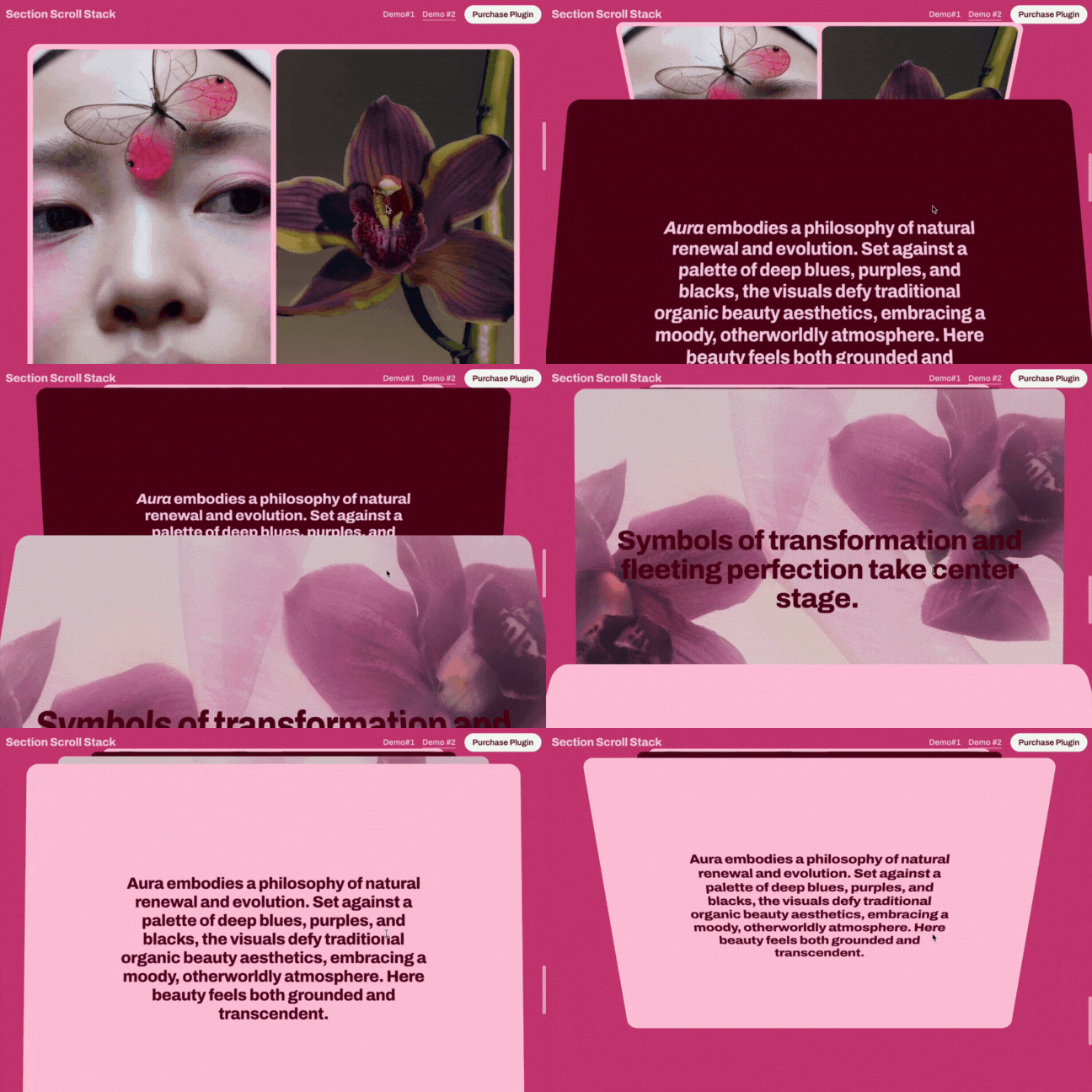
LIVE DEMO ↗ Password: digitalmoves
Stack up the wow factor.This plugin turns your standard Squarespace 7.1 sections into a visually stunning, scroll-driven stack. As visitors scroll, each section slides up and settles neatly behind the next — creating a smooth, layered transition effect that feels refined, modern, and just a little bit magical.
Features:
Scroll-Based Stacking: Each section scrolls upward and tucks behind the next, revealing content one layer at a time.
Effortless Setup: No need to restructure your site—just drop the code in and apply the stack to any section group.
Built with Native Sections: Uses regular Squarespace sections—no custom blocks or iframes needed.
Customizable Stack Range: Choose exactly where the effect starts and ends on your page.
Fully Responsive: Fluid performance on desktop, tablet, and mobile devices.
Minimal & Lightweight: Clean, efficient code that doesn’t bloat your site.
Plugin Information:
Guided install with step-by-step setup instructions
Works on any Squarespace 7.1 page layout
Activate site-wide or per-page using a custom selector
Ideal for portfolios, landing pages, or any content that deserves a bold scroll effect
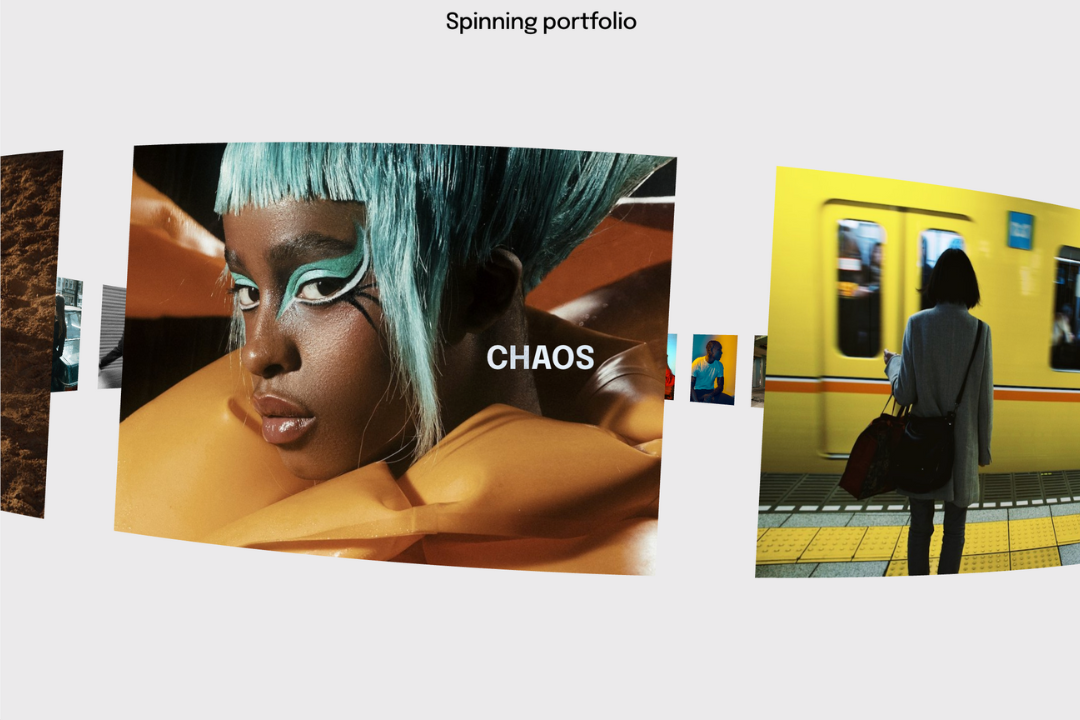
LIVE DEMO ↗ Password: digitalmoves
Showcase your work with a spin — literally.
This Squarespace 7.1 plugin transforms your portfolio into an interactive, rotating carousel. Each project tile rotates in 3D space for a slick, standout presentation that feels more like a design experience than a gallery.
Features:
3D Slide Transitions: Each section pivots away and the next one rotates in with perspective.
Custom Slide Count: Choose between 1-30 blog posts that are pulled to become this effect.
Seamless Pinning: Keeps your content locked in place while the slideshow plays out.
Fully Responsive: Adapts to desktop, tablet, and mobile for a polished look on every device.
Lightweight & Self-Contained: Just a single plugin file, your blog collection and an existing section.
Plugin Information:
Quick Install Guide with step-by-step instructions
Site-wide or Page-specific deployment via a simple selector
Works with any standard section block and summary block

LIVE DEMO ↗ Password: digitalmoves
Smart, subtle, scroll-powered branding.
This plugin makes your Squarespace 7.1 logo shrink smoothly as visitors scroll — keeping your site looking polished and intentional. It’s a small touch that makes a big difference in user experience and visual flow.
Features:
Scroll-Triggered Logo Resize: Your site logo scales down as users scroll, giving more breathing room to your content.
Fully Responsive: Logo resizing adapts perfectly across all screen sizes and devices.
Customizable Settings: Choose how small the logo gets and how quickly the transition happens.
Effortless Integration: Works with any built-in Squarespace 7.1 header layout
Smooth Animation: Clean, non-jarring transition for a premium feel.
Plugin Information:
Quick-start install guide with visuals and step-by-step instructions
Works site-wide — just drop it in and go
Plays nicely with other header tweaks and styling
Great for blogs, portfolios, agencies, or any site that wants a sleek, dynamic header experience

LIVE DEMO ↗ Password: digitalmoves
Turn your Squarespace 7.1 section into a dynamic, scroll-driven slideshow. No extra page builders required. As visitors scroll, each section rotates smoothly in and out of view, creating an immersive storytelling experience.
Features:
3D Slide Transitions: Each section pivots away and the next one rotates in with perspective.
Custom Slide Count: Choose exactly how many consecutive sections become part of the effect.
Seamless Pinning: Keeps your content locked in place while the slideshow plays out.
Fully Responsive: Adapts to desktop, tablet, and mobile for a polished look on every device.
Lightweight & Self-Contained: No iframes or bulky frameworks, just a single plugin file and your existing sections.
Plugin Information:
Quick Install Guide with step-by-step instructions
Site-wide or Page-specific deployment via a simple selector
Works with any standard section block—just pick your starting point and slide count
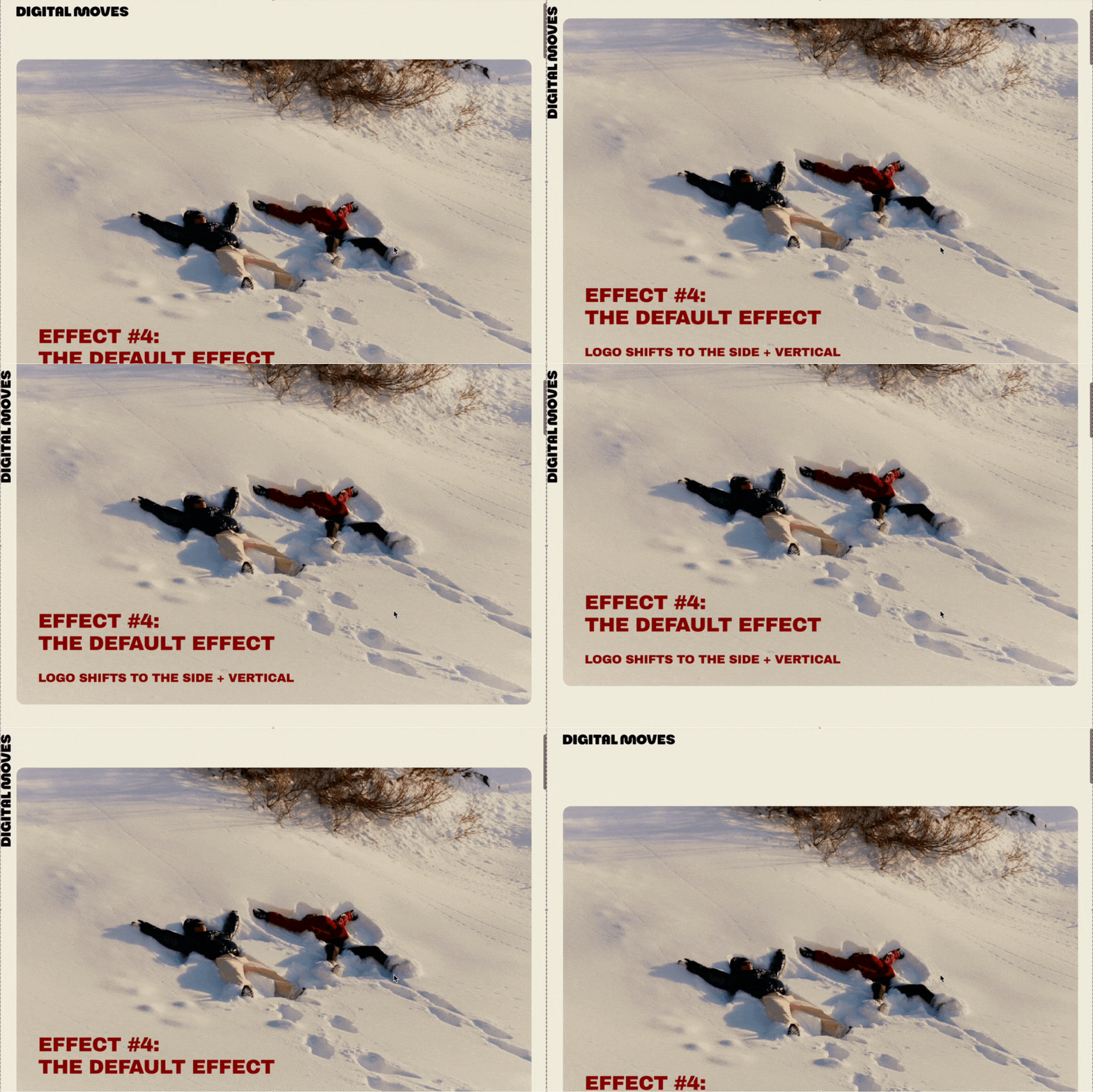
LIVE DEMO ↗ Password: digitalmoves
Jazz up your logo with our interactive + adaptive logo effect bundle, featuring 5 different effects, wrapped up into an easy-to-install plugin for your Squarespace 7.1 website.
Grab your visitor’s attention during page scrolling, this plugin includes 5 effects that animate your logo. Creating visual interest and soft + subtle effect to your Squarespace website. Multiple effects can be used across your website and page. Of course, mobile responsive for a good time across all devices. Effects include:
Effect #1: Logo minimises + disappears on scrolling over content
Effect #2: Logo blurs over content on scroll
Effect #3: Logo slices up + disappears on scrolling over content
Effect #4: Logo shifts vertically + to the side on scrolling over content
Effect #5: Logo slides away to the left on scrolling over content
Plugin Information:
Install Guide with easy to follow instructions
Plugin can be entire site or page specific
Uses Code Injection + Custom CSS
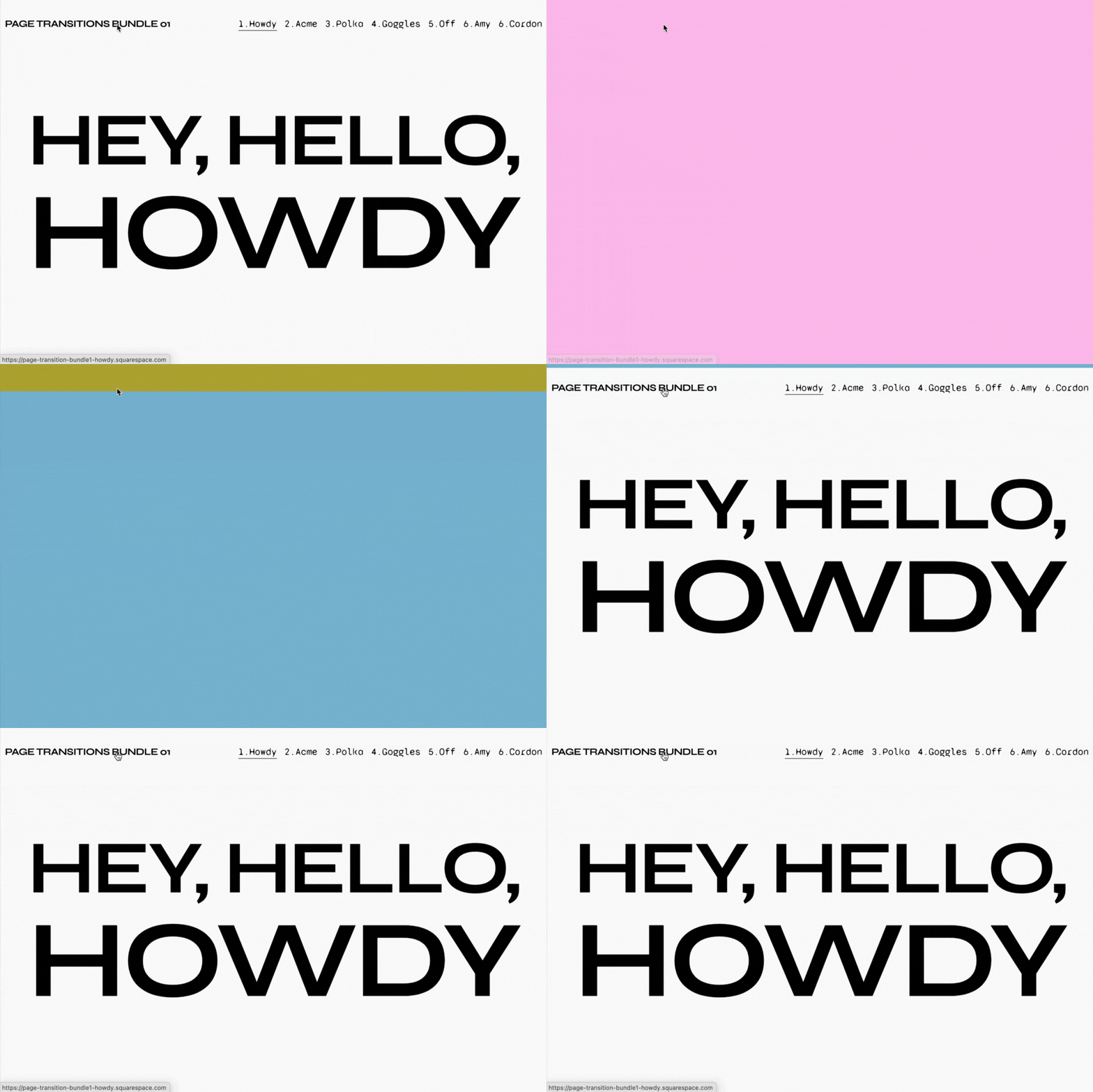
The animated page transition you’ve always wanted, now wrapped up into an easy-to-install plugin for your Squarespace 7.1 website.
Grab your visitor’s attention during page transitions, this plugin includes 7 effects to choose from to animate the transition from page to page across your website. Choose from the following options:
Howdy Acme Polka Goggles Off Amy Cordon
Demo page password: digitalmoves
Animations can be customised with different colors & speeds to suit your needs and vibe. And of course, mobile responsive for a good time across all devices.
Plugin Information:
Install Guide with easy to follow instructions
Plugin can be entire site or page specific
Uses Code Injection + Custom CSS

LIVE DEMO ↗ Password: digitalmoves
The page transition you’ve always wanted, now wrapped up into an easy-to-install plugin for your Squarespace 7.1 website.
Grab your visitor’s attention during page transitions, this plugin includes 3 variations to animate your logo/image/gif and 2 variations on the loading screen leaving the screen. A pre-loader on your Squarespace website is not only attractive and engaging, but gives your website additional loading time so your content is ready for viewing.
Animation options are interchangeable and can be customised to suit your needs and vibe. And of course, mobile responsive for a good time across all devices.
Image animations include: Rotating, pulsing and floating.
Exit screen animations include: Fading and slide out in multiple directions.
Plugin Information:
Install Guide with easy to follow instructions
Plugin can be entire site or page specific
Uses Code Injection + Custom CSS
LIVE DEMO ↗ Password: digitalmoves
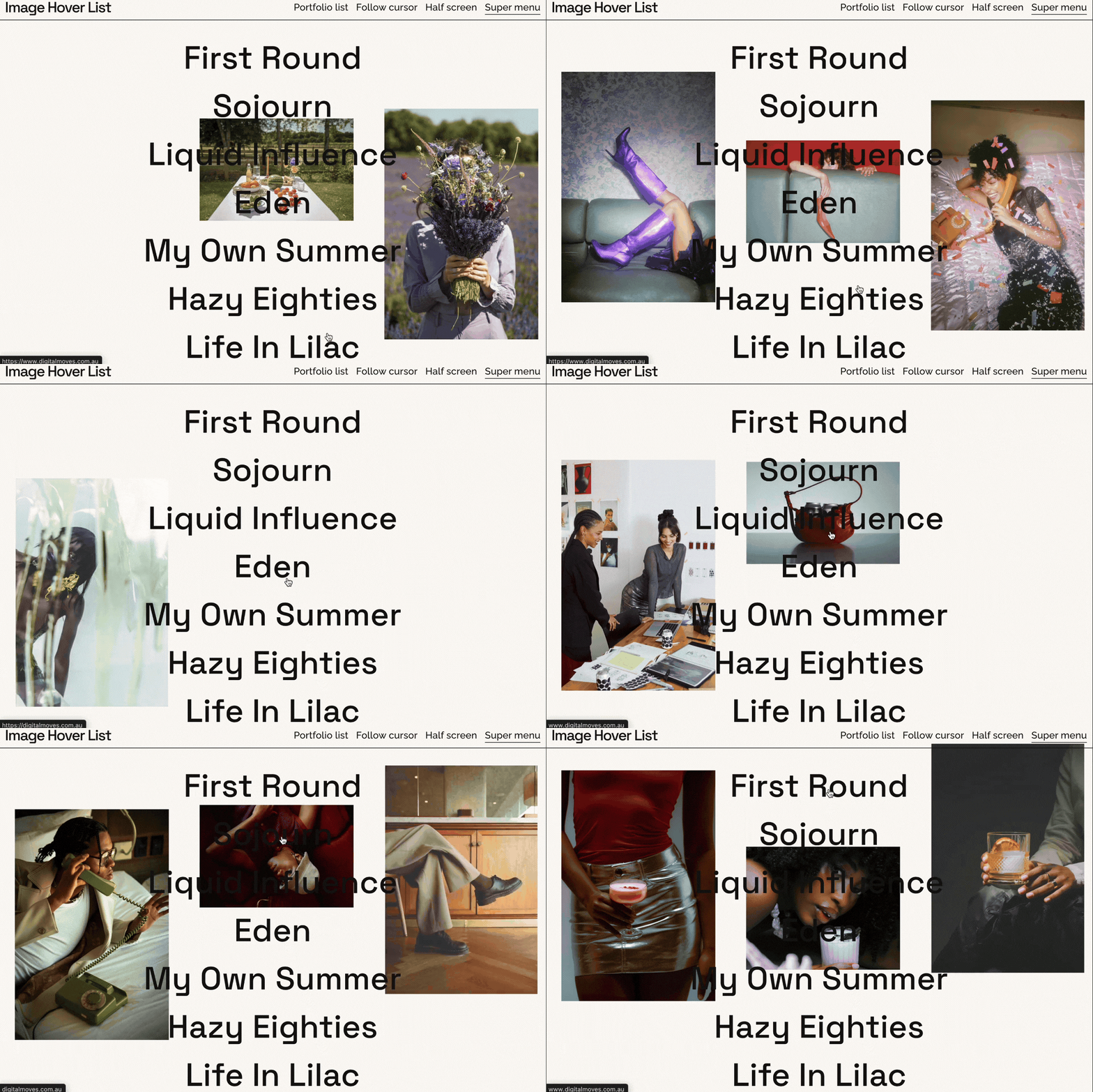
Get interactive with your visual content. Our Image Hover List Bundle will be turning heads right onto your Squarespace 7.1 website.
Add some flare and visual delight to your website with 4 (yes four!) effects to play with. Our plugin uses Squarespace’s summary block feature for an easy to install process. A great option to highlight some of your stunning imagery or get silly with GIFs. Making for an incredible user experience and general joy while browsing your Squarespace website.
Each effect comes with a bunch of customisation options to suit your needs and vibe. Mobile responsive for a good time across all devices.
Plugin Information:
Install Guide Included with video walk through
Plugin Is Section Specific
Uses Code Injection + Custom CSS
Uses Summary Blocks & Blog Collections
Plugin Information
All 10 plugins install via Footer Code Injection and Page Header Code Injection — a full guide is included with each
Each plugin is standalone and works across any page or section
Compatible with Squarespace 7.1 on a Business Plan or higher
Upon purchase you'll receive download links for all 10 plugins
Site Requirements
1. Squarespace v7.1
2. Requires Business Plan or Higher
Licence
All plugins come with a straightforward unlimited use licence, which means they can be used an endless number of times. You have permission to use any plugin on your Squarespace projects, both personal and commercial. We do not allow this plugin to be used on Squarespace templates that are for sale nor can you re-sell this plugin.
Support
We're here to help you troubleshoot any issues with our plugins. While we can assist with installation and usage based on the instructions provided, we may not be able to help with customisations or development outside of those guidelines.
Please note, support is provided on a best-effort basis, and we can't guarantee compatibility with all other plugins, templates, or third-party software. Head here for more information.

LIVE DEMO ↗ Password: digitalmoves
Transform any section of your Squarespace site into a scroll-triggered scrapbook moment. Images pulled from a blog post gallery start stacked in a pile, then fan out across the screen as visitors scroll — creating an immersive, editorial moodboard effect that stops people in their tracks.
Features:
Scroll-Triggered Fan — Images sit in a neat pile until your visitor scrolls into the section, then scatter across the screen like a moodboard coming to life
Pulls from a Blog Gallery — Point it at any blog post with a gallery and it handles the rest — no manual image uploading
Fully Responsive — Adapts automatically to any screen size, desktop or mobile
Auto-Scaling Layout — Works beautifully whether you use 8 images or 25, the spread adjusts automatically
Customisable — Control image sizes, spread, rotation, animation speed and more via a simple config
Plugin Information:
Quick install guide with step-by-step instructions
Uses Squarespace's native blog collection
Works in any section on any page
Ideal for interior designers, architects, wedding planners, stylists, real estate agents — anyone selling an aesthetic